FIELD MANUAL // 05
Negotiation
Proposals, the event log, signals, notifications, and the anti-collusion rule
This chapter covers everything that happens between turns: sending and answering proposals, reading the event log, the signal system you talk through, the notifications that reach your phone, and the rule that keeps two players from locking up the game.
What you can do between turns
Between your turns you can stack several plays, up to the play limits:
- Propose an agreement — compose a deal and send it to one player.
- Play a standalone card — straight from the card’s detail view via its PLAY button. The card’s category (STRIKE or ASSETS) shows on the detail view.
- Play a value card on yourself — troops now, partially paid back from the deploy after next. See Value Card.
- Gamble — when the GAMBLE tile in your hand is lit (3 or more unlocked cards), burn 3 cards to draw 1 at random. A net loss of two cards; use it when your hand is stale.
Most plays take effect at your next turn start, not right away — a trap set now springs no earlier than next round. Forced March and Betrayal are the exceptions; they act on the spot.
Answering a proposal is always free: it costs none of your plays, whenever your turn brings one to you. The Hand tab shows an alert dot whenever an offer is waiting.
Proposals
All deals are private and one-on-one. There are no group deals, no public offers, and no counter-offers — if the terms are wrong, decline.
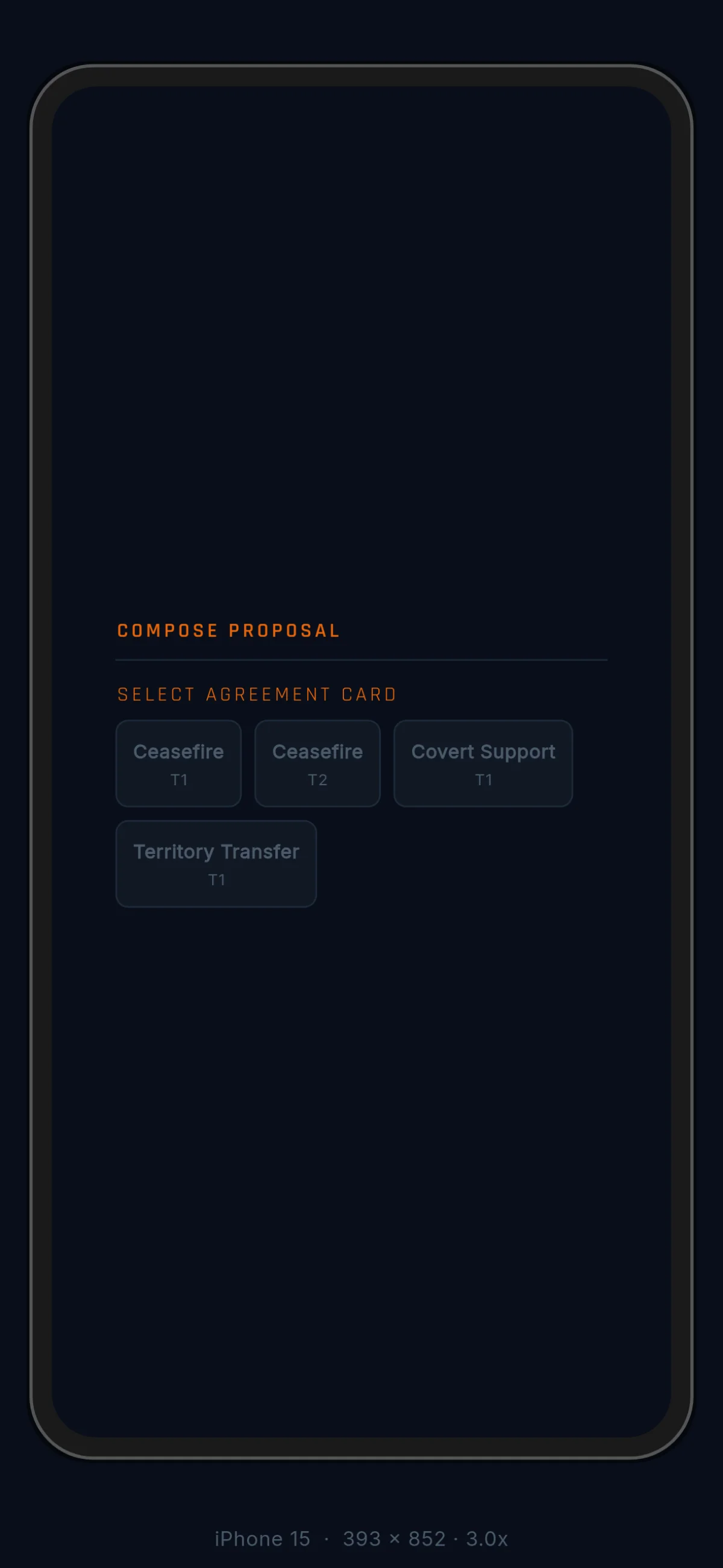
To propose: pick an agreement card from your hand, pick the player,
and fill the card’s slots with value cards. The cards you commit
lock until the proposal resolves. While your
offer is out, a small PROP↻ chip on your screen reminds you that
something of yours is parked. It’s only a reminder — you can keep
playing cards while you wait.
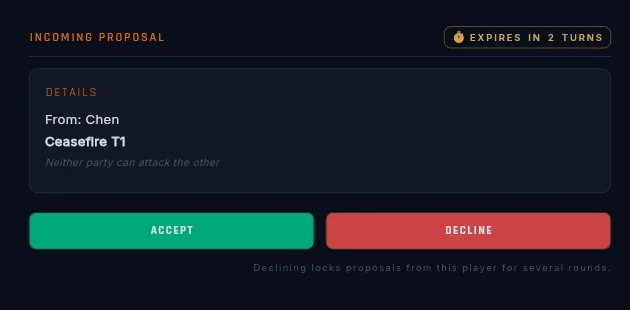
The other player answers at their next turn start, not before. When their turn begins, a banner points them at your offer, and Accept and Decline sit at the top of their hand. If their turn comes and goes without an answer, the offer lapses at that same moment — your locked cards come home, no penalty, and nobody else ever knew.
See Agreements for what each deal type actually does once it’s active.
The event log
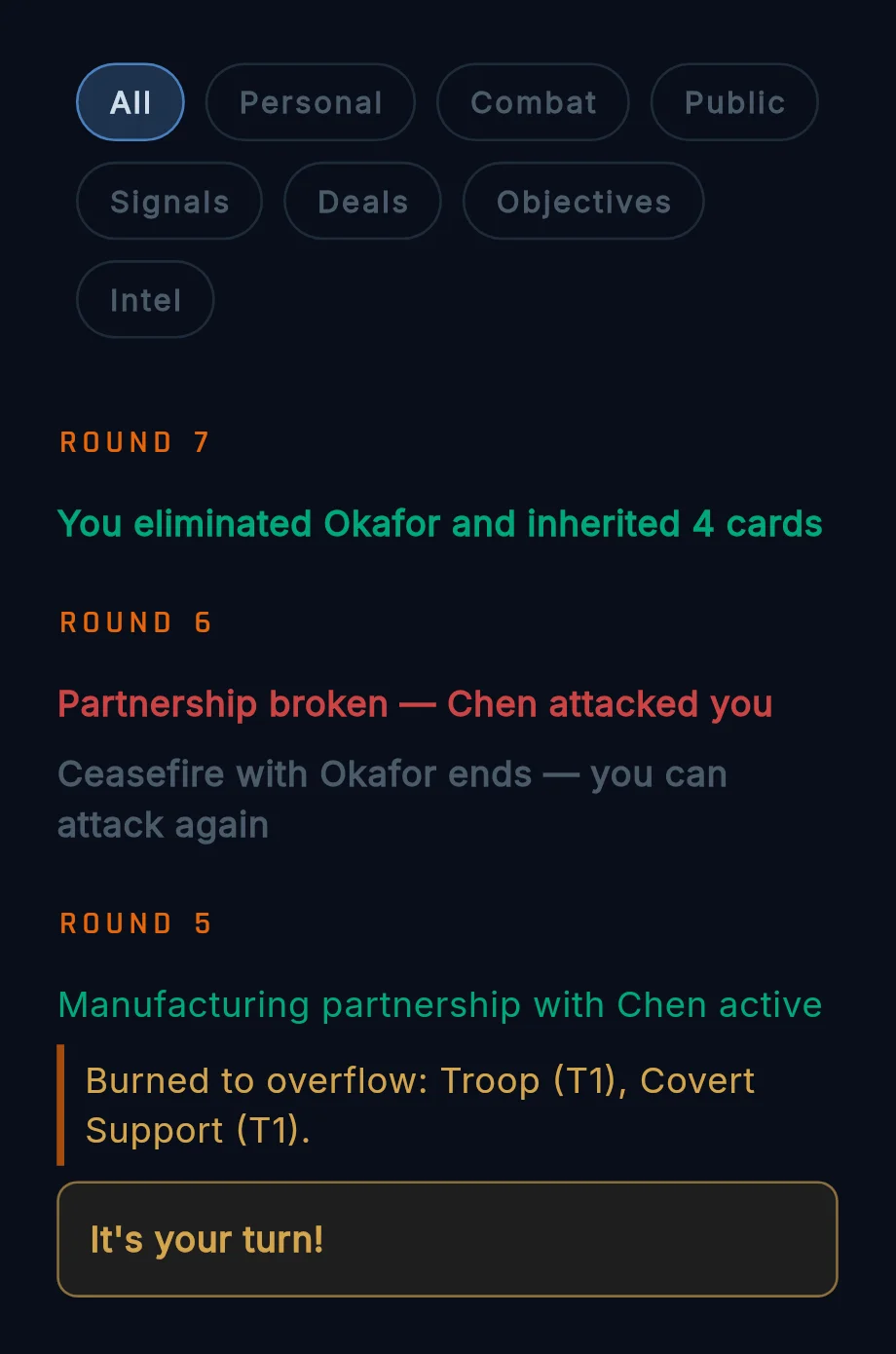
Everything that happens in a game lands in the event log: combat, deals taking effect, signals, public announcements, objective news. Filter chips across the top scope the view: All · Personal · Combat · Public · Signals · Deals · Objectives · Intel.
- Personal shows only events that name you — your fights, your messages, your deals. The chip carries a small dot when something unread names you, and the dot survives closing the tab. Opening the log clears it.
- Objectives shows objective progress events on maps that have them.
- Intel carries each round’s published spy results — sweep outcomes, scouting notices. See Cards.
The log reads in game order. Each player’s turn shows as one block, and end-of-turn entries carry a View map button — tap it to see a snapshot of what you could see at that moment, so you can revisit “what did I know when I made that call?” without leaving the game.
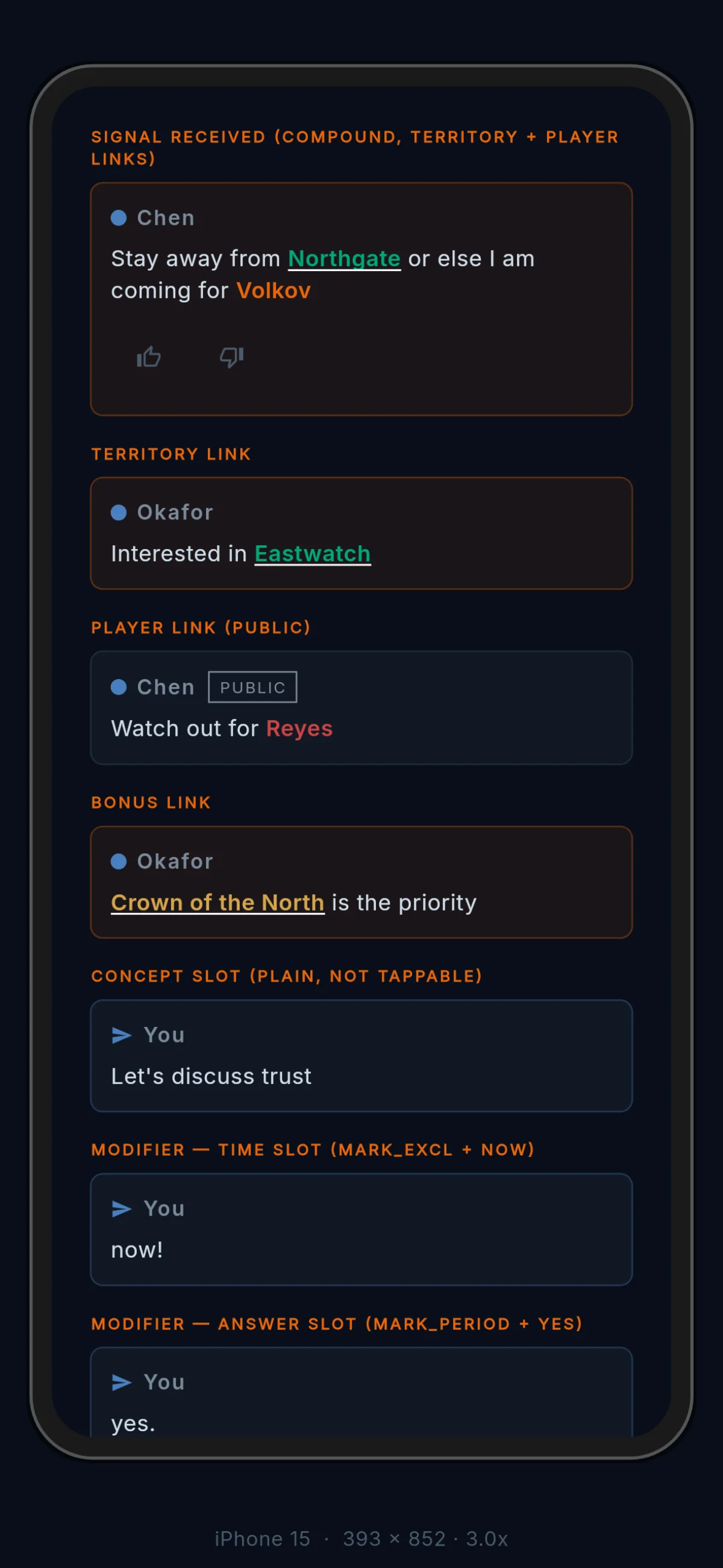
Messages sent directly to you show tinted orange, and reactions tuck
in under the message they react to. Fog of war applies here too:
territory names you can’t see print as ??? — you know something
happened, but not where.
Signals
You don’t type free text in Backchannel. You talk in signals: short messages built from templates, filled in with real things from the game — players, territories, zones, ideas. Enough to coordinate, never enough to say exactly what you mean. The ambiguity is the point.
Composing a signal
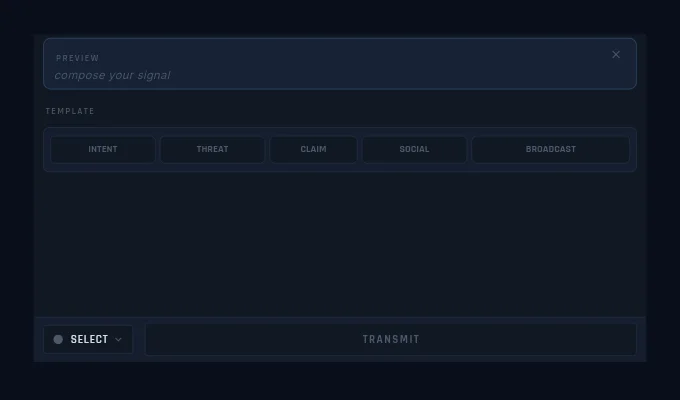
Open the composer from the signal button, or (more often) by tapping a territory, which carries that territory into the composer with you. Five category chips across the top pick the kind of message:
- INTENT — what you want, where you’re going, when to act
- THREAT — what’s yours, who to fear, what you’re coming for
- CLAIM — what’s true (or claimed), who’s lying, what’s happening
- SOCIAL — well played, bold, that was a mistake, respect
- BROADCAST — table-wide: let’s cooperate, every player for themselves, the real threat is obvious
Pick a category and its templates appear. As soon as you’ve chosen anything, a preview card pins above the pickers showing the message you’re building, every step of the way. A back arrow undoes one choice at a time; Clear starts you over. The person you addressed stays addressed through both.
When you arrived from a map tap, a FROM TAP row sits above the pickers with the tapped territory, its owner, and any zone it belongs to as tappable pills — tap one to drop it straight into the message. If your template has a second blank, the row fills it for you.
You can chain two templates with a connector (“and”, “but”, “then”)
into one compound signal. And five INTENT templates are nothing but
punctuation around a name (X, X!, X?, X..., X.) for when
all you want to do is point at something with a tone.
What goes in the blanks
Every blank takes one of seven kinds of thing, each in its own pill colour so a glance tells you what’s being talked about: a player (in their own colour), a territory (teal), a bonus zone (amber), a concept (attack, peace, betrayal…), an agreement type, a modifier (soon, never, not yet, for now), or a direction (from, toward, through, before, after).
Signals you receive
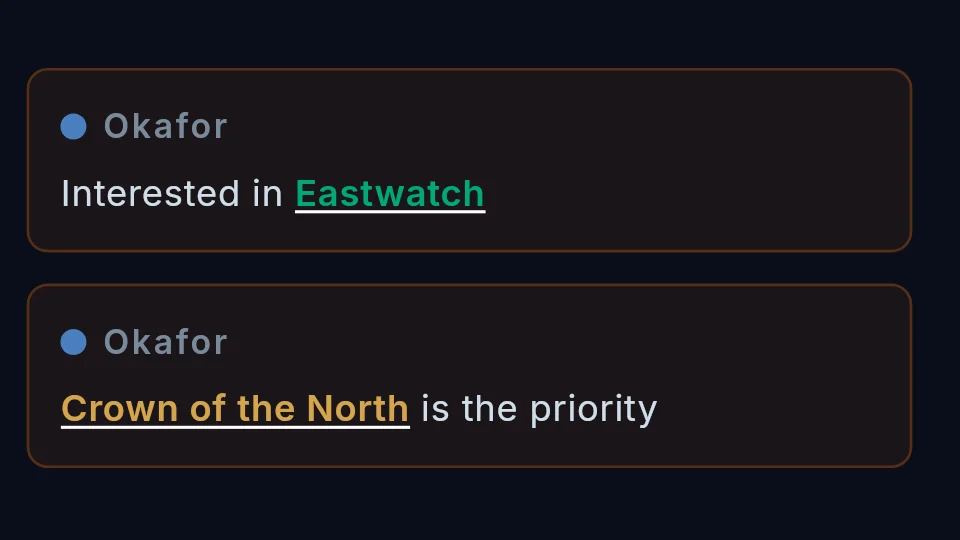
In the log, the blanks of a signal are live links. Tap a territory and the camera flies there and rings it with the orbit ring. Tap a player and every territory they hold lights up. Tap a zone and its whole footprint rings. Concepts and the other word-fills stay plain text.
The rings are yours alone — tapping a link shows nothing to anyone else. It’s a reading aid, not a gesture.
Under every signal sits a thumbs-up / thumbs-down pair. React, and the icon fills in, teal for up and red for down, so your stance is clear on a re-read. Public signals show a reaction count; on a private signal, only the sender sees your reaction.
Rate limits
You can send 1 private signal per round to each player, and 1 public signal per round. A reply or a reaction from the other player resets your limit with them — conversation earns more conversation.
Notifications
Backchannel can push notifications to your phone or desktop once you opt in. The first line names who did it and what happened; the last line names the game and round, so a glance at your lock screen tells you which of your games wants you. A direct signal shows its full text in the push — you can read it without opening the app.
Pushes come in three kinds: turn updates (your turn started, an offer is waiting), messages (a signal addressed to you), and system (game over, account notices). Tapping one takes you to the right place — a turn update opens the game at your turn, a message opens the log at that signal, a game-over push opens the after-action view.
You can tune them at two levels:
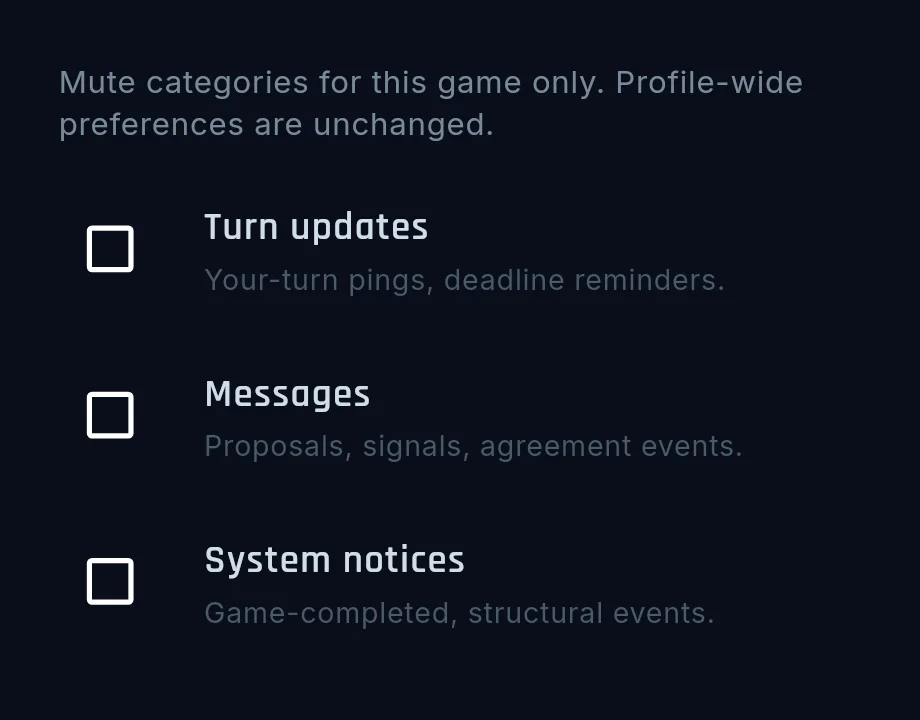
- Per game: the bell inside any game opens three checkboxes (Turn updates / Messages / System) that mute just that game. The settings retire with the game when it ends.
- Everywhere: Profile → Account → Notifications carries the same three switches across all your games. The stricter setting wins.
On an iPhone home-screen install, a banner on the home screen offers the opt-in — iOS only allows the permission prompt from a real tap, so tap the banner and accept. On Android, all Backchannel pushes share one brandmark in the status bar, with a small icon in the shade that tells a turn update from a message.
The anti-collusion rule
So two players can’t lock up the game by trading deals back and forth, repeat deals with the same partner have a cooldown:
- One-off deals are always available. You can strike a single agreement with any player at any time.
- Back-to-back deals need a Ceasefire. After a deal is accepted, you wait 2 of your turns before proposing to the same player again — unless an active Ceasefire stands between you. A Ceasefire is itself a deal: once it’s active, the cooldown stops applying to that partner. The truce is the key to sustained cooperation.
- A decline starts the same 2-turn wait for the proposer before asking that player again. An offer that lapses unanswered starts no wait.
Every Ceasefire is announced to the whole table. Trucing up to enable back-to-back deals is a commitment everyone can read.