TECHNICAL MANUAL // 07
Settings
Map identity, player count, naming themes, and game defaults
The Settings tab is one long scroll, and every map touches it. This chapter walks it top to bottom: identity, image, naming, players, colours, starting positions, display, and the game defaults the lobby inherits.
Map identity
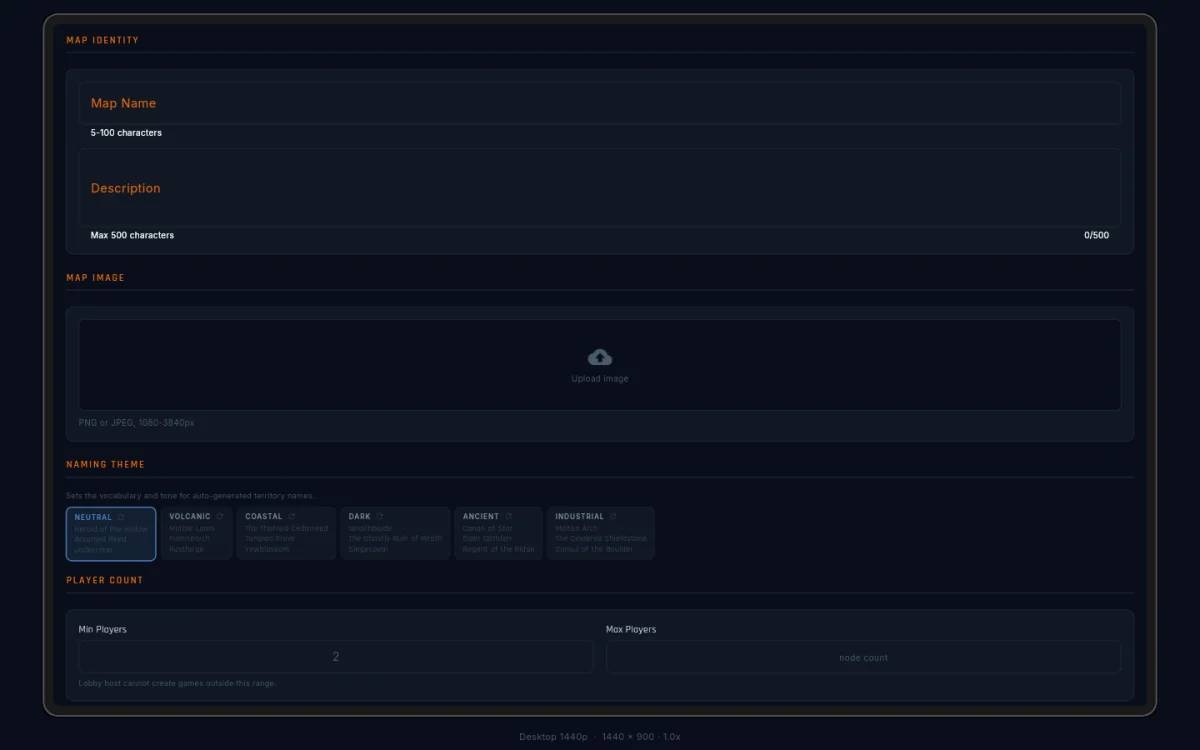
Your map needs a name (5–100 characters) and can carry a description (up to 500). The name shows in the map browser and at lobby creation; the description shows beside it. Use the description to hint at the design, the sweet-spot player count, or the setting — a map without one tends to slide past the eye in the picker.
Map image
The image is the map’s visual background. You upload it at project creation and can replace it any time with Replace Image… — but the replacement must match the original’s exact width and height, so your territory positions can’t silently drift. PNG, JPEG, or WebP, 1080 to 3840 pixels per side, 10 MB max.
The image is pure looks. Territories, connections, and zones are all their own data; the image just shows players where things are.
Naming theme
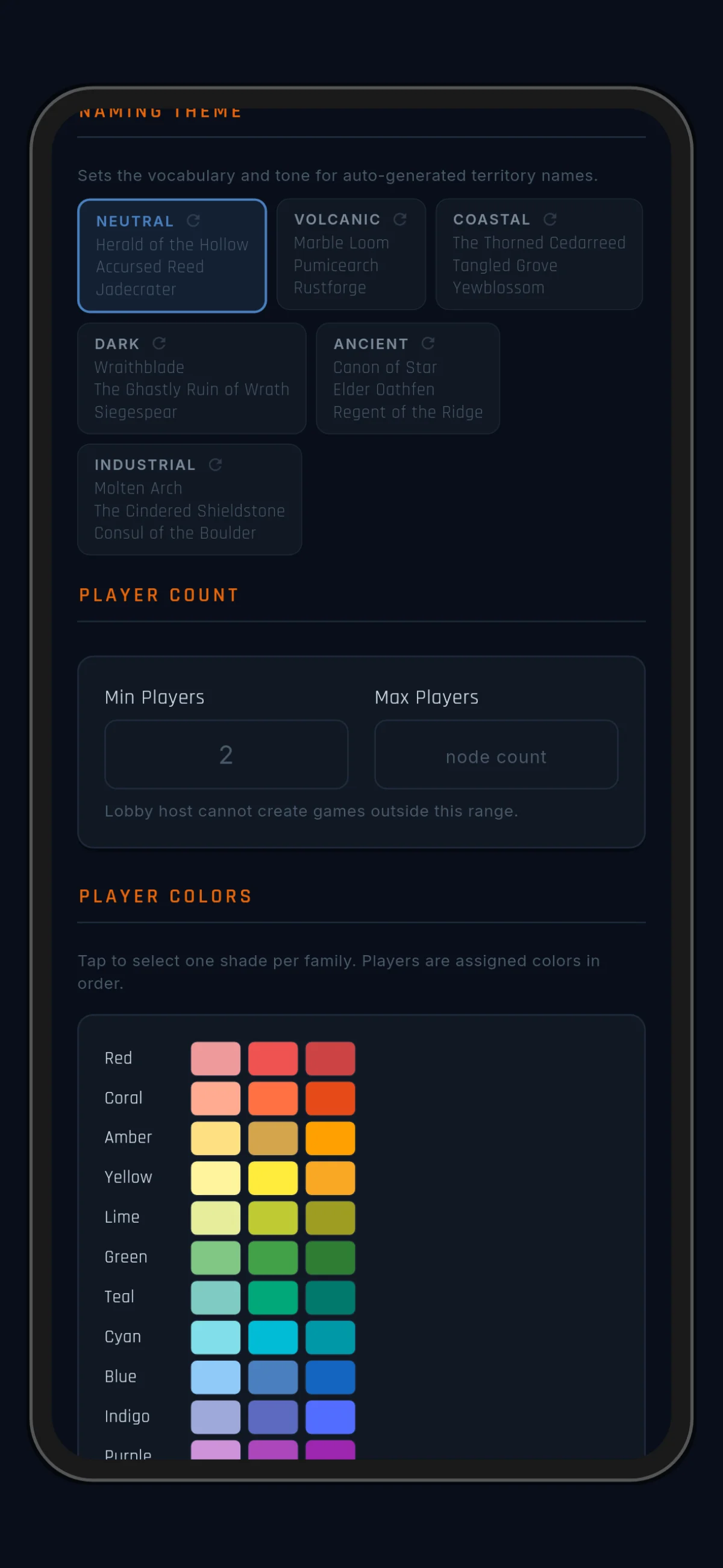
The theme picks the word pool for auto-generated territory names. The chip strip shows three example names per theme, with a refresh icon to reroll the previews. The six themes and their flavours are listed in Territories.
Changing the theme affects new names only — nothing already named is touched.
Player count
Set the minimum and maximum players. The minimum is at least 2; the maximum can’t exceed your territory count — everyone needs somewhere to start. Hosts pick a count inside your range; the lobby refuses anything outside it. Design for the whole range you declare: a “2–8 player” map should actually play well at both ends.
Player colors
Colour is a player’s main identity in-game: the dot on every owned territory, the tint on the scoreboard, the prefix on every log entry. Anonymous Mode masks names; colour is always honest.
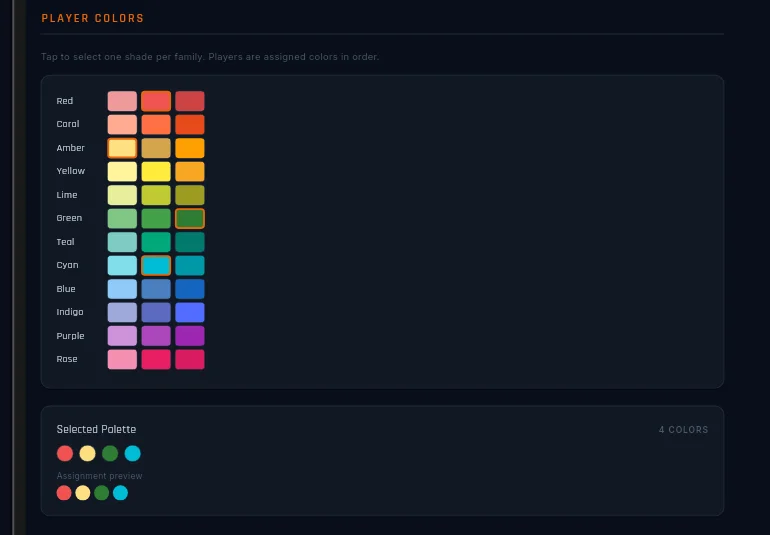
The picker shows 12 colour families, each in three shades — 36 swatches. Tap a shade to add it; tap again to drop it. One shade per family: picking a second replaces the first.
Below the swatches, a Selected Palette card shows your picks as dots, plus an assignment preview — which colour goes to seat 0, seat 1, and so on, with the mark each seat gets. That’s exactly what players will see. A count chip turns red when you’ve picked fewer colours than your player cap needs (one colour covers up to 8 players; 9–16 needs two).
An empty palette falls back to the game’s built-in colours. Fine while prototyping — but set a real palette before publishing, so the in-game identity reads cleanly against your image.
Starting tiles
One toggle lives here: Enforce Starting Positions.
- On — players start on the territories of their assigned spawn group.
- Off — the game scrambles starts and ignores everything you painted.
When it’s on, an inline card reminds you the painting itself happens on the SPAWNS tab — Settings owns the switch, the canvas owns the assignments.
Render // Display
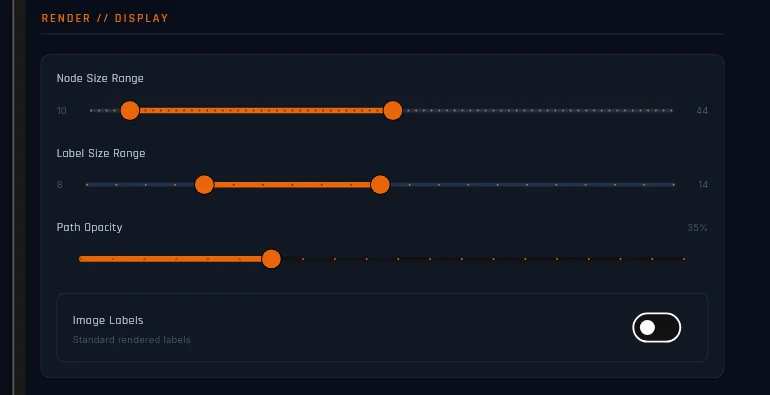
These controls shape how the map looks in-game; none of them touch gameplay. Every slider live-previews on the canvas while you drag.
- Node size range (5–80) — how small territory dots may shrink zoomed out, and how large they may grow zoomed in. A tight range keeps every territory the same visual weight; a wide one lets zoomed-out views go quiet.
- Label size range (4–24) — the same idea for territory-name font sizes across the zoom range.
- Path opacity (5%–100%) — how strongly connection lines draw. Low lets your image carry the look; full is the “minimap” look.
- Image labels — off (default), the editor draws territory names; on, your image’s own painted-in lettering takes over at close zoom. Turning it on unlocks two tuners: the zoom level where the hand-off happens (0.10–0.70), and the crop height (10–40) matched to your image’s lettering.
If your image has no painted labels, leave Image labels off and ignore the tuners.
Game defaults
Game defaults are suggestions, not rules: they pre-fill the lobby when a host picks your map, and the host can change any of them per game. Anything they change lights up orange in the lobby, so divergence from your intent is always visible.
Every default has a reset arrow that clears your value and falls back to the game’s own default. Use it when your map has no opinion on a setting — if the game’s default changes someday, your map follows it automatically.
Starting hand
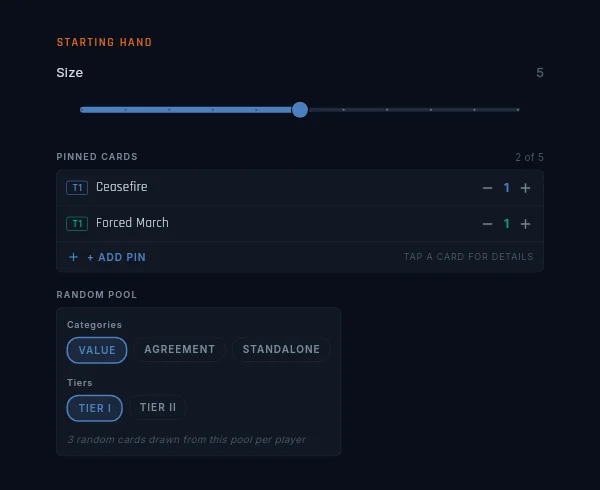
The opening hand every player gets, in two parts:
- Pinned cards — dealt to everyone. The default pins Ceasefire Tier 1 and Forced March Tier 1: one peace tool, one movement tool.
- Random pool — the rest of the hand draws from a filter you set: any mix of card categories (value / agreement / standalone) and tiers. The default pool is Tier-1 value cards only.
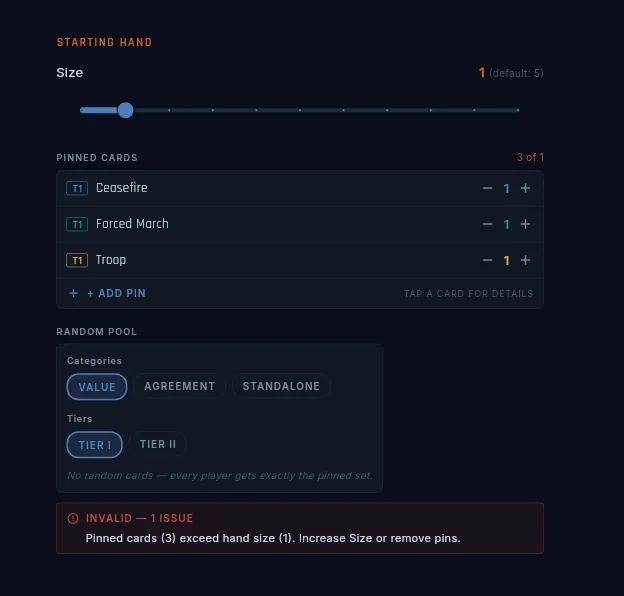
Hand size, pins, and the pool are all editable here. The pin picker opens a catalog of every card the game can deal at the start — 26 entries, including the four spy cards at both tiers. (The Infiltrate/Recon scouting pair can’t be dealt at game start, so those two are absent.) Pin two Ceasefires if you want extra peace on the table, or pin nothing and let the whole hand draw from the pool.
The player-side story is in Field Manual → Cards and the lobby override flow in Before the Game.
The rest of the dials
| Default | Value | Range | Notes |
|---|---|---|---|
| Hand limit | 15 | 1–30 | earned overflow burns; inherited overflow prompts a discard |
| Base deploy | 3 | 1–10 | the per-turn troop floor. Higher = faster early game; lower makes bonuses matter more |
| Turn timer | 24 hours | 1 minute – 1 week | built for slow play; push it down for live games |
| Shared victory | on | on/off | the two-player truce ending and its 50/20/30 split. Two-player games only; ignored at three or more |
| Fog of war | on | on/off | off makes an open-information game |
Clock-out
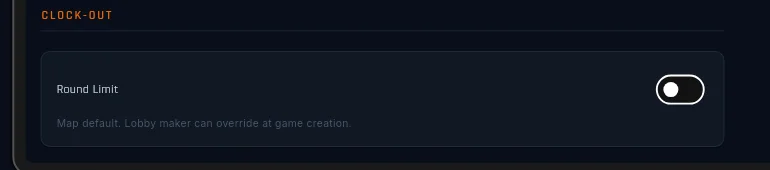
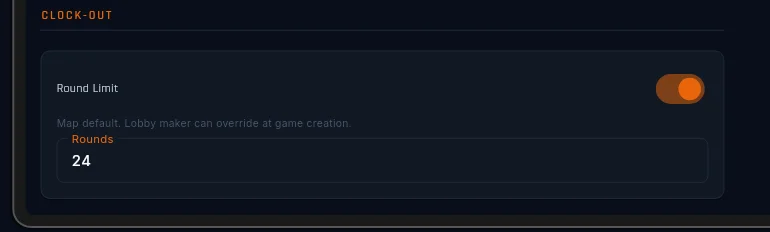
Clock-out is the round cap: when the round counter hits it, the game ends and players rank by the same 50% territory / 20% troops / 30% cards score Shared Victory uses.
The panel has two states: no clock-out (the default — games run until someone wins), or clock-out at round N. Hosts can override the cap per game; authoring one says “this map plays well inside N rounds”.
Clock-out stacks on any map. A domination-only map with a cap becomes “eliminate everyone or lead at round N”; an objectives map becomes “complete the objectives or lead at round N”. The player-facing breakdown is in Winning.
Anonymous mode
Anonymous Mode is a lobby setting, not a map setting — hosts choose it at lobby creation, and you can’t default it from here. One detail matters to you as the author: your colour palette is the only player identity that survives the masks. Pick swatches that read clearly against your image.
When in doubt, reset
Every setting here has a way back to the game’s default: the reset arrows on the dials, the Reset button on Starting Hand, clearing the clock-out field, tapping swatches off. Prefer the default unless your map demands otherwise — game defaults are nudges, not rules.