TECHNICAL MANUAL // 05
Objectives
Bonus groups, victory categories, and authoring win conditions
This chapter covers the three objectives tabs — BONUS GROUPS, CATEGORIES, and VICTORY OBJECTIVES: the groups and the requirements and payouts inside them, then the Constellations and categories that turn them into win conditions.
Bonus groups
A Bonus Group is a rule built on your bonuses: while a player’s holdings meet its requirement, it pays them each turn. Use groups for goals that don’t fit a single zone — strategic clusters, role-defining holdings, map-wide collection goals.
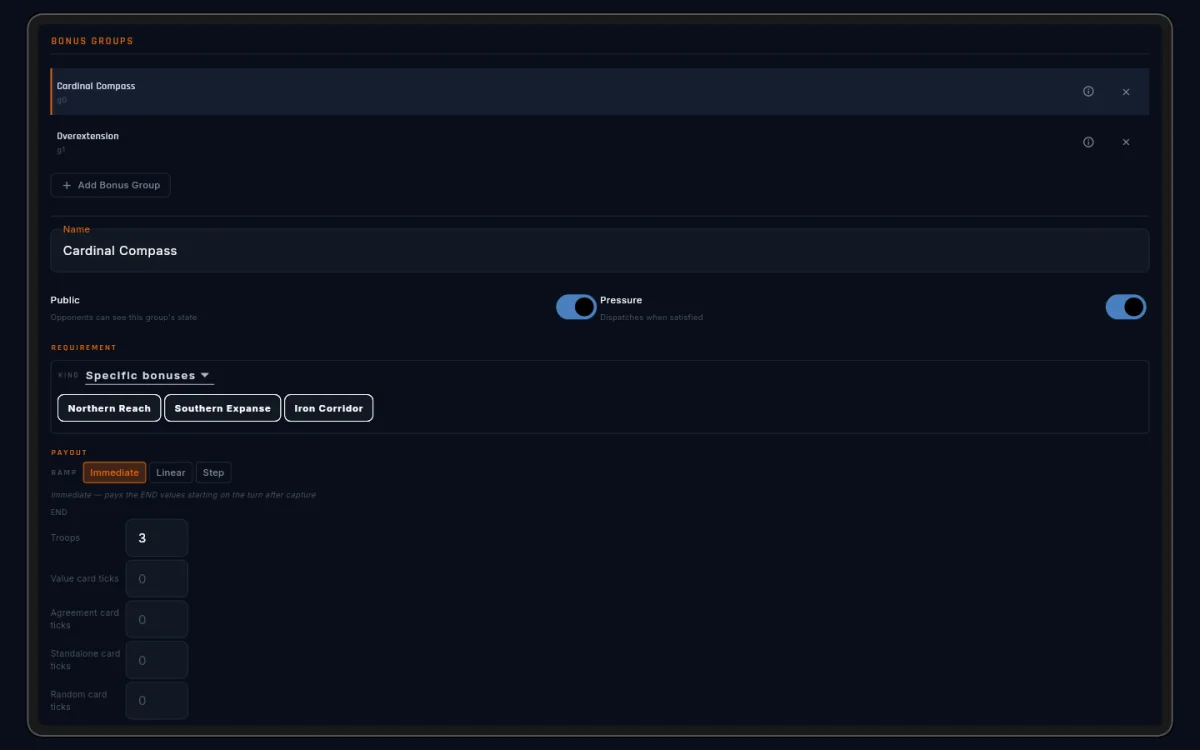
Groups are authored in the BONUS GROUPS tab (not the BONUSES tab). Each group has a name, a requirement, a payout, and two visibility toggles.
The canvas shows what you mean
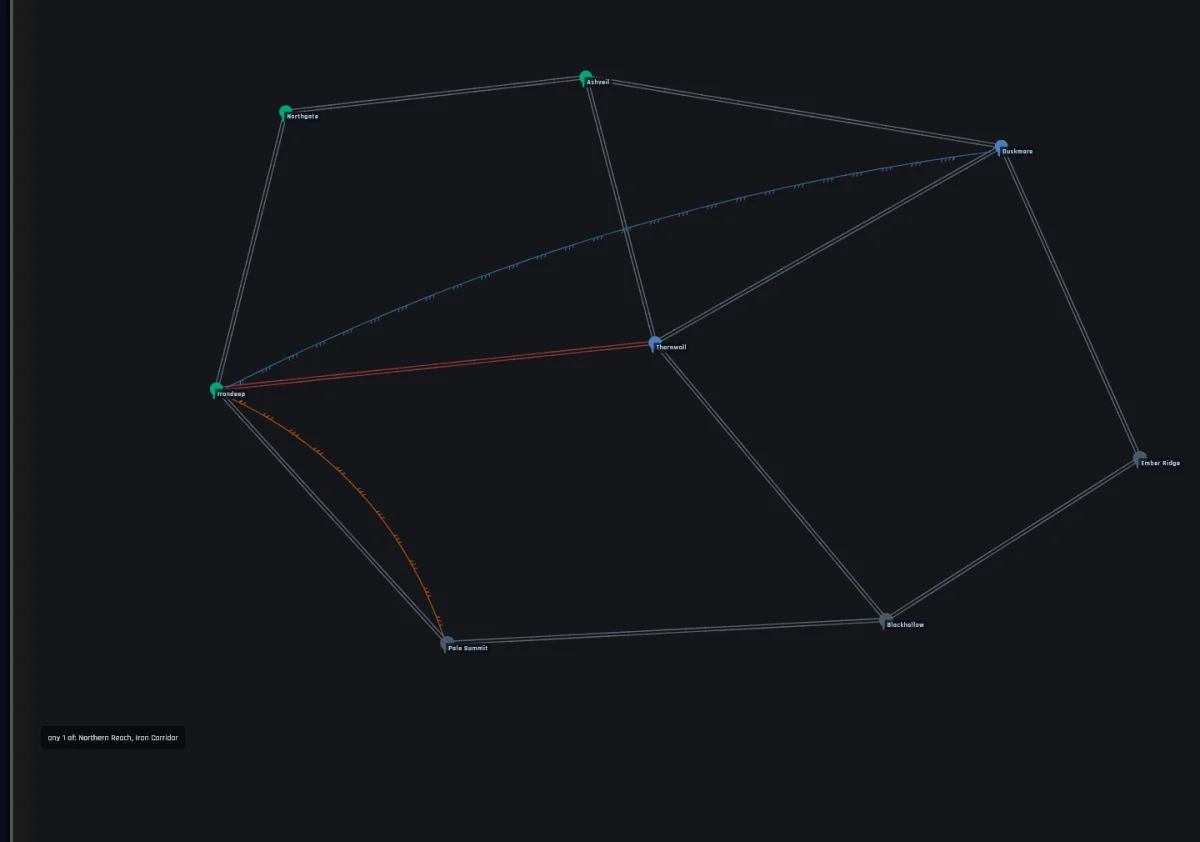
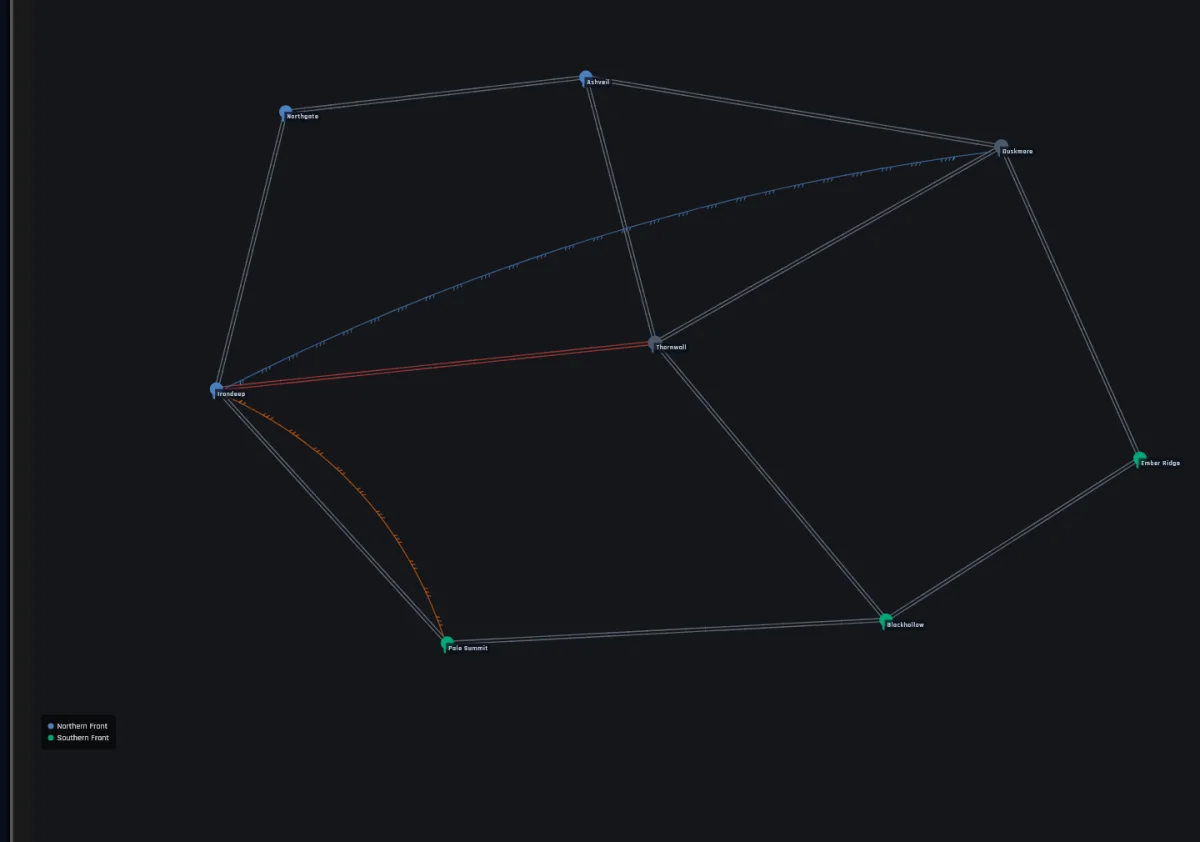
Selecting a group lights up every bonus in its requirement as coloured rings on the canvas, with a legend in the corner that spells out the counts (“any 2 of: Alpha, Bravo”). The CATEGORIES and VICTORY OBJECTIVES tabs do the same for their selections, each footprint in its own hue. It’s read-only (no canvas editing on these tabs), but it answers “what does this group actually cover?” at a glance.
Requirements
The REQUIREMENT section is the group’s rule. Build it from six pieces, picked from one dropdown per row:
| Piece | Means |
|---|---|
| Specific bonuses | hold every bonus in a chosen set |
| Count by type | hold at least N bonuses of one type |
| Count from set | hold at least N from a chosen list |
| All of | every condition inside must hold |
| Any of | at least one condition inside must hold |
| Not | the condition inside must fail |
The last three nest, so you can express things like “two Region bonuses, plus either of these two specifics”. The pickers show bonus names, not IDs. Count by type makes you pick the type — nothing defaults silently.
Two reads players will see: a Count by type condition shows the type
name in caps (FOUNDATION), and a Scaled zone named in a requirement
carries its counts-as-held mark as a suffix (Coastal Chain (held 3+)) so players know exactly when it counts.
Payout
The PAYOUT section is what the group pays each turn the requirement holds, and how it ramps:
- Immediate — the full amount from the first turn.
- Linear — climbs from a start value to an end value over a set number of held turns. A slow build that pays patience.
- Step — jumps at scheduled turns (turn 3, turn 6, turn 9).
Each end of the ramp is a payout you build from troops and the four
kinds of card ticks. The
editor shows it in plain words, like +2 Agreement, +1 Value, as you
build it.
Public and Pressure
Two toggles set how loud a group is:
- Public — opponents can see the group’s state and who’s close to qualifying. Public groups invite counterplay; everyone knows when to intervene.
- Pressure — opponents get a news event as someone nears qualification (“Alice is one bonus away from Cardinal Compass”).
They’re independent. Both off makes a silent group — opponents learn it existed only at game end. Both on telegraphs intent to the whole table.
Three patterns that work
The anchor. A Specific bonuses requirement over a dispersed set (say, four corner bonuses) with a long hold. The holder visibly “projects power in all directions”, and a wide footprint is hard to defend. Make it Public; the visibility is the point. Good for role-defining, story-flavoured objectives (“the four pillars”).
The race. A Count from set requirement, like “any 3 of these 6 outer bonuses”, that several players can chase at once. Pair it with a short ramp so the race feels immediate. Good for pulling players out of their corners.
The secret. Both toggles off: a quiet goal that rewards a patient setup. Opponents see the consequences (a stronger deploy, more cards) without seeing the cause. Use sparingly — secrets skip the table-wide tension public goals create.
Victory objectives
Bonus Groups feed the economy. Constellations, and the categories that group them, decide who wins. You author Constellations in the VICTORY OBJECTIVES tab; each one names the Bonus Groups a player must keep satisfied and for how many turns in a row (each Constellation sets its own count) to count toward victory.
The victory gates themselves (how many Constellations or categories win the game, the round limit, and the pressure warning) live in Settings. The player’s view of all of it is Field Manual → Winning.
Tips